How the system works, and what gets installed
Hardware at the gate and in the rooms, a web workspace for the school, and an app for parents. They share one record.
Arrive
A student reaches the turnstiles at the entrance.
Verify
A face terminal or an RFID card identifies them.
Record
Entry, classroom and area taps are logged with the time.
Notify
The linked parent sees it in the QUICK app.
Monitor
Administrators see attendance for the whole school.
What gets installed
Four pieces of hardware and two pieces of software. The photographs are from Holy Cross of Davao College unless noted.
-
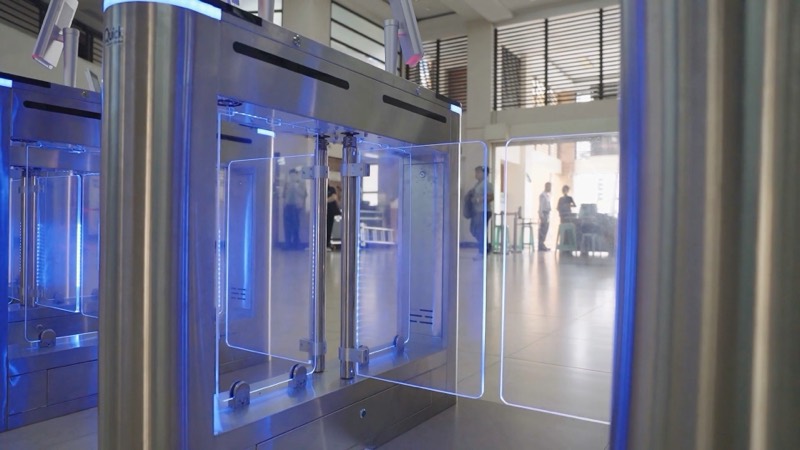
Hardware · entranceTurnstile lanes
Stainless lanes with glass swing barriers, installed across the entrance. Each lane opens for one person at a time and counts them in or out.
-
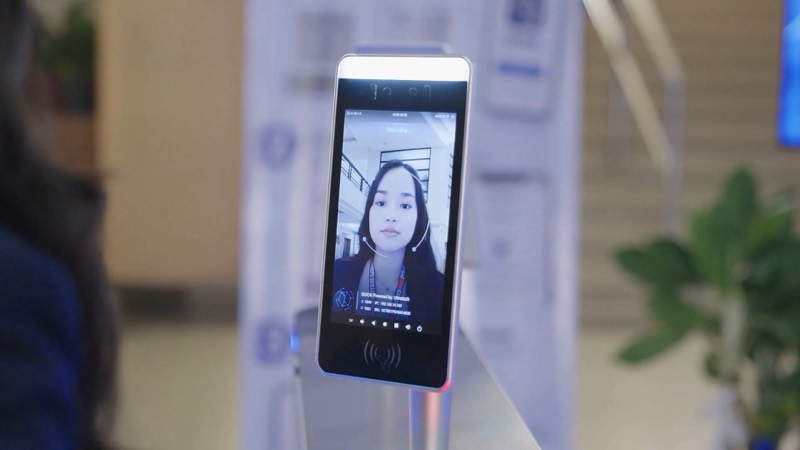
Hardware · entranceFace terminals
A screen and camera on each lane. Students and faculty look at it on the way in; the terminal matches the face to a registered account.
-
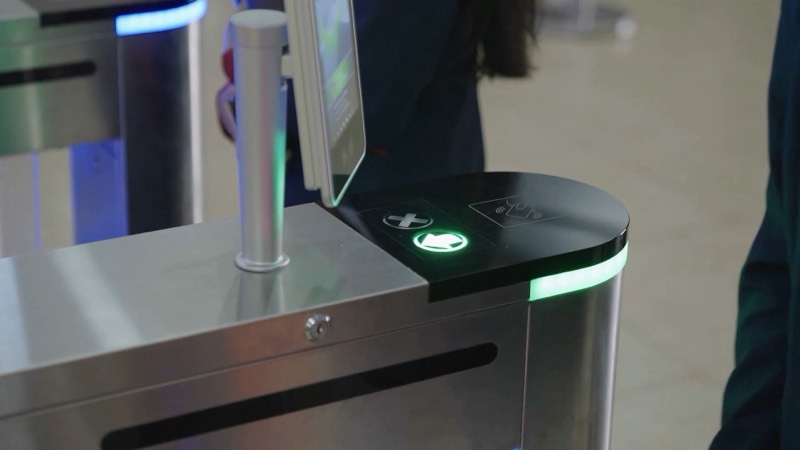
Hardware · entranceRFID readers
A reader on the lane for RFID student IDs. It shows red or green as the card is read. Schools can use cards, faces, or both.
-
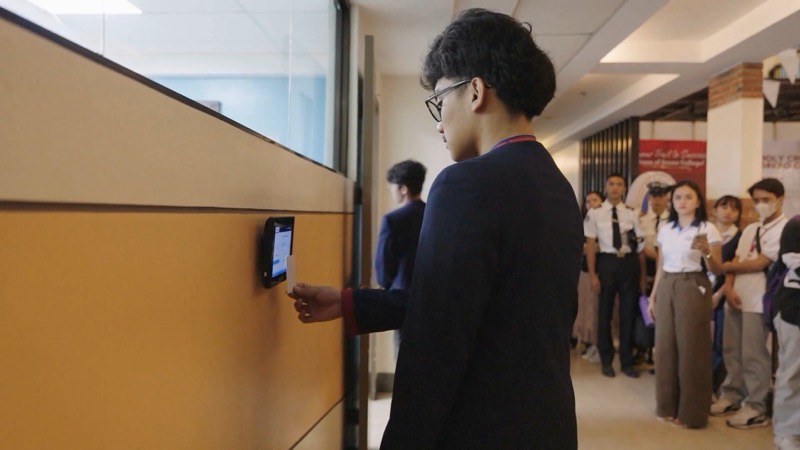
Hardware · inside the campusRoom and area kiosks
Wall-mounted kiosks at classroom doors and in areas such as the guidance office, library, clinic, laboratory and registrar. First tap logs in; second tap logs out.
-
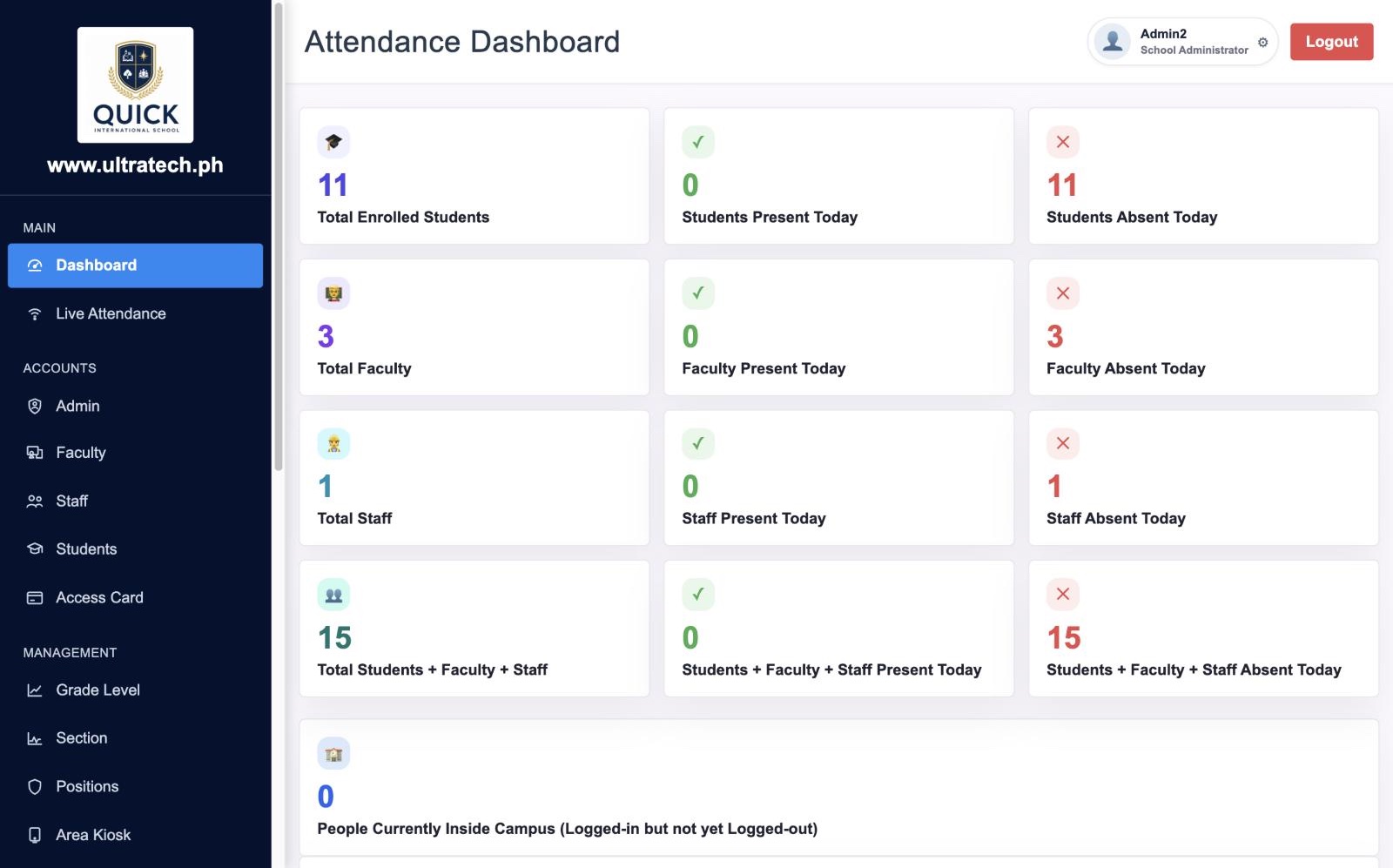
Software · for the schoolSchool workspace
A web application for authorised staff: attendance dashboard, accounts, grade levels and sections, kiosks, access cards, announcements, billing, reports and printables.
-
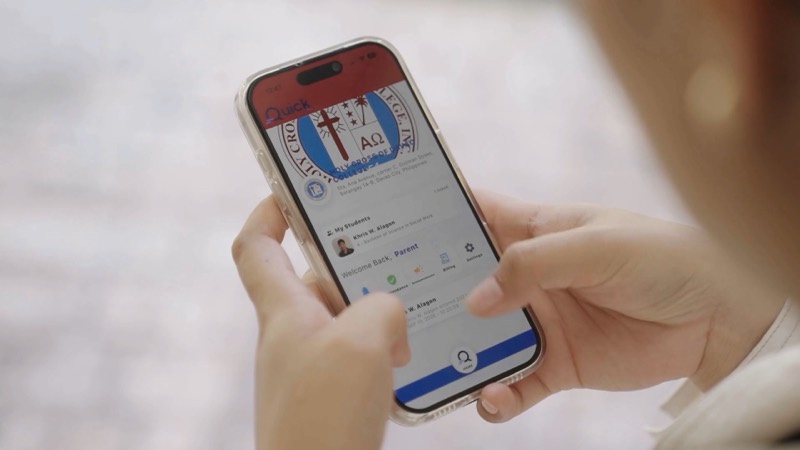
Software · for parentsQUICK app
VEXA’s app for parents, on Google Play and the App Store. Attendance updates, announcements and billing for their own child. More about QUICK


The school workspace
This is the monthly attendance report for one section. Each column is a day; P and A mark present and absent. The same screen prints the sheet or exports it to CSV.
- Main
- Attendance dashboard, live attendance with manual tap
- Accounts
- Admin, faculty, staff, students with parent login email, access cards
- Management
- Grade levels, sections, positions, area kiosks
- Announcements
- Kiosk messages and broadcasts by grade, section, faculty or staff
- Billing
- School years, fee groups, cashiers and cashiering
- Printables
- Monthly student and staff attendance, print or CSV
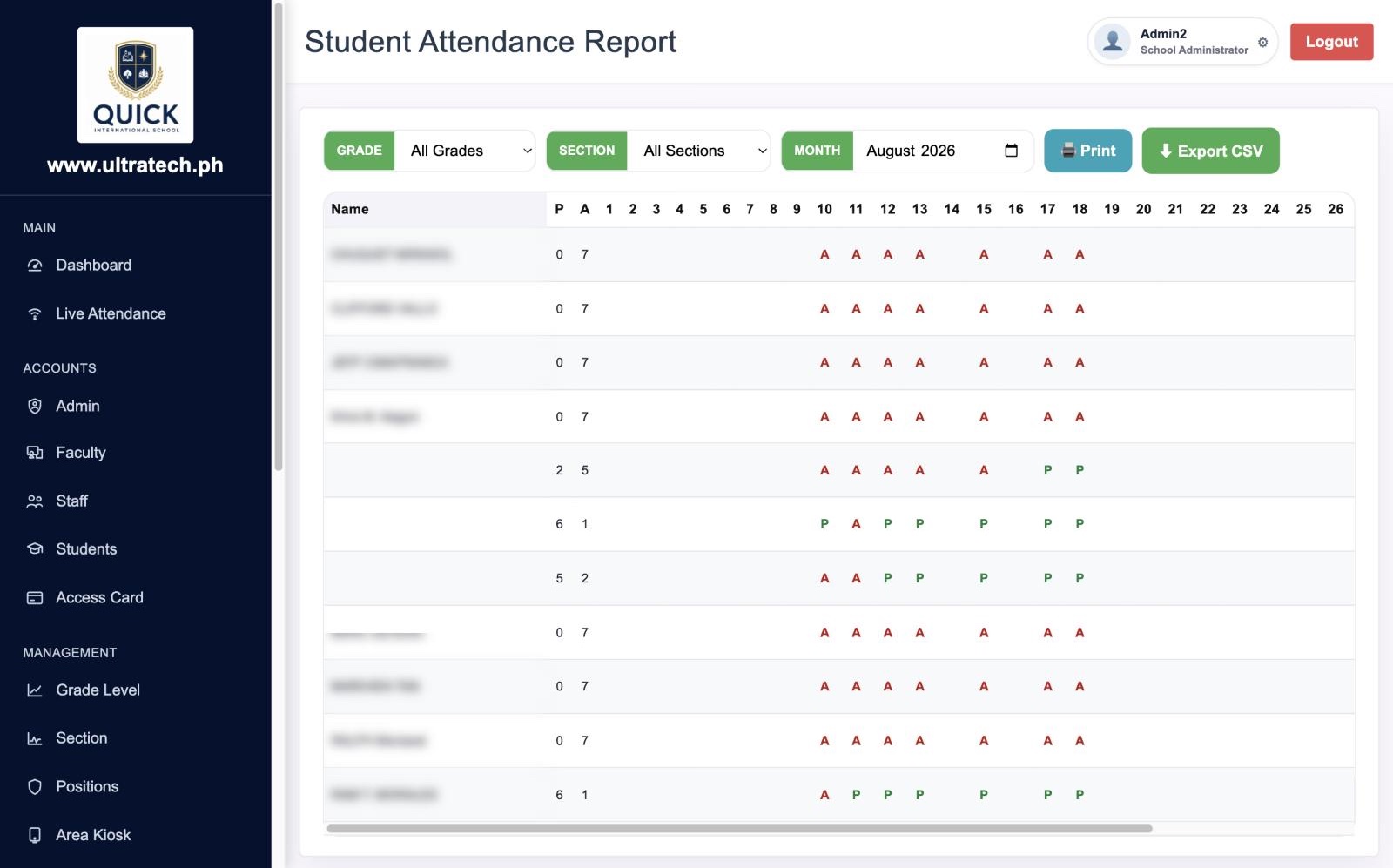
Captured from a QUICK demo school account, August 2026. Student names are blurred.
What it replaces
Six jobs, with the way they are usually done and what changes.
Gate access
Usually
A guard checks IDs by eye and writes visitors in a logbook.
With the system
Turnstiles identify students and faculty by face or RFID before the barrier opens.
Result
Every entry and exit has a name and a time, and the school can count who is inside.
Attendance
Usually
Teachers call the roll and the register is copied into a spreadsheet later.
With the system
Students tap a kiosk at the classroom door, and at other areas they visit.
Result
Attendance is complete when the class starts. Staff can see where a student last tapped.
Parent notifications
Usually
Parents call the office, or hear about an absence days later.
With the system
QUICK sends check-ins, check-outs, area visits and announcements to verified parents.
Result
Parents know their child arrived. The school reaches every family at once.
School billing
Usually
Families queue at the cashier to ask what they owe.
With the system
Billing and cashiering sit in the same platform. Parents see tuition fees, balances and deadlines in the app.
Result
Fewer enquiries at the window, and one set of figures.
Reports
Usually
Figures are collected from several offices when someone asks for them.
With the system
The workspace keeps student and staff attendance by day and month, ready to export or print.
Result
School leaders see the day’s numbers without asking for them.
Safety alerts
Usually
Class suspensions and emergencies are announced through group chats and phone trees.
With the system
At HCDC the platform sends real-time advisories for typhoons, earthquakes and suspensions, and gives students an in-app SOS to campus security.
Result
The school knows how many people remain in each building during a drill or an emergency.
What a school receives depends on the agreed deployment. The safety functions are described as launched in HCDC’s C.R.O.S.S. Connect platform.
How a rollout runs
Four stages, from the first visit to the first school day on the system.
Assessment
We review the entrances, the number of users, how attendance is taken now and what should come first.
Configuration
Accounts, student records, grade levels, sections, RFID credentials, kiosks and permissions are set up.
Orientation
School staff are shown daily use: monitoring, reports and the administrative controls.
Go live
The workspace is activated and parents install the app. Support continues after launch.
Common questions
Answers are limited to what is in the product and its public documentation. For anything else, ask us.
Who can see a student’s records?
School staff with an account in the workspace, and parents the school has authorised. A parent needs a valid school code and a registered parent email, and goes through a verification step before the app shows anything.
What do parents need to do?
Install QUICK from Google Play or the App Store, enter the school code the school gives them, and sign in with the email the school has on file for them. At HCDC the download link was shared by QR code.
Do students use cards or their faces?
Either. At HCDC the main entrance uses facial recognition and classroom kiosks read RFID. St. Lorenzo School of Polomolok uses RFID cards at its gate.
Where can kiosks be placed?
At classroom doors and in any area the school wants to track visits to. The product lists the guidance office, library, clinic, laboratory and registrar as examples.
Does it handle staff attendance?
Yes. Faculty and staff have accounts, pass the same gates, and have their own attendance report in the workspace.
Can a parent delete their account?
Yes. VEXA publishes an account deletion page (opens in a new tab) and a privacy policy (opens in a new tab) for QUICK.
Where can we see it working?
At Holy Cross of Davao College, where it has been in service since 10 September 2026. The launch film is in the media library, and we can arrange a demonstration.
Other products in the QUICK range
A learning management system (QLMS), entry-point security screening equipment and an interactive smartboard.
See it on your own campus.
Tell us how many students you have and how your gates, attendance and billing work today. We will show you the system and what a rollout would involve.
- career@ultratech.ph
- Mobile
- 0956 985 5966
- Office
- Park Triangle Corporate Plaza, BGC, Taguig